DMARC for small business is a short DNS record that tells receiving mail servers what to do with messages that claim to come from your domain but fail authentication. It builds on two older checks, SPF and DKIM, and it is what stops a fraudster sending an invoice that appears to come from exactly your address. Gmail, Yahoo and Outlook.com now require it from bulk senders, and the UK’s National Cyber Security Centre (NCSC) recommends it for every domain you own, including ones that send no mail at all.
This guide explains the three records, the order to publish them in, and the timings the NCSC suggests. DNS values are shown in code format so you can copy them, with example.com standing in for your own domain.
What DMARC does, and what it does not
Email has no built-in proof of sender. Anyone can write your domain in the From line of a message. DMARC, now defined in RFC 9989 (May 2026), lets the owner of a domain publish a policy that receivers check. A message passes when it passes SPF or DKIM and the domain that passed matches the domain in the visible From address. That matching is called alignment.
The RFC is explicit about the limits. DMARC “can only be used to combat specific forms of exact-domain spoofing directly”. It does not address visually similar domain names, such as a letter swapped in your company name, and it does not address the display name, the human-readable name shown before the address. So DMARC protects accounts@example.com from being forged, but not accounts@examp1e.com or a message whose display name says “Example Ltd Accounts” from an unrelated address. Payment checks still matter; our guide to invoice fraud payment checks covers the call-back and approval steps that catch what email authentication cannot.
The three records
| Record | Where it lives | What it proves |
|---|---|---|
| SPF | A TXT record on the domain itself | Which servers may send mail for the domain |
| DKIM | A TXT record at selector._domainkey.example.com | That a message was signed by a key the domain published, and not changed in transit |
| DMARC | A TXT record at _dmarc.example.com | Which policy to apply when neither SPF nor DKIM passes in alignment, and where to send reports |
SPF
SPF lists the services allowed to send mail for your domain. The NCSC’s example for a business using Google Workspace is v=spf1 include:_spf.google.com ~all. Your provider publishes the exact value, so check its help pages rather than copying the example.
Two limits catch small businesses out. The NCSC notes that an SPF record should be 450 bytes or fewer, and that the SPF protocol allows no more than 10 DNS lookups when a receiver evaluates it. Each include: can trigger more lookups inside it. If you add a CRM, an invoicing tool and a newsletter service to a mailbox provider, you can exceed the limit and SPF then fails. The NCSC suggests sending some of that mail from a subdomain with its own record.
DKIM
DKIM adds a cryptographic signature to each message. Your mail provider generates the key pair and tells you which public record to publish. The NCSC recommends 2048-bit keys and suggests rotating them about every 12 months, using a new selector and keeping the old record live for a few days. Google’s sender guidelines require a key of at least 1024 bits and recommend 2048.
The NCSC also flags an alignment trap: when you set up a new system, the provider often signs your mail with its own domain by default (its example is onmicrosoft.com). That signature is valid but does not match your From domain, so it does not count for DMARC. Make sure each service signs with your domain.
Who now requires it
The large mailbox providers changed their rules in 2024 and 2025. These apply to mail sent to their personal accounts.
| Provider | All senders | Bulk senders |
|---|---|---|
| Google (Gmail) | SPF or DKIM; valid forward and reverse DNS; TLS; spam rate kept below 0.3% | More than 5,000 messages a day to Gmail: SPF and DKIM, a DMARC record (p=none is allowed), From domain aligned with SPF or DKIM, one-click unsubscribe |
| Yahoo | SPF or DKIM | SPF and DKIM, a DMARC policy of at least p=none that passes, unsubscribe requests honoured within 2 days |
| Microsoft (Outlook.com) | Not set out in the announcement | More than 5,000 messages a day, from 5 May 2025: SPF pass, DKIM pass and DMARC of at least p=none, aligned with SPF or DKIM |
Google says unauthenticated messages may be rejected with error code 5.7.26. Microsoft’s announcement says non-compliant mail is rejected with the error 550; 5.7.515 Access denied. Most small businesses send far fewer than 5,000 messages a day, but a single newsletter to a large list can cross that line, and the baseline rules for all senders still apply to ordinary invoices and quotes.
Publishing DMARC in stages
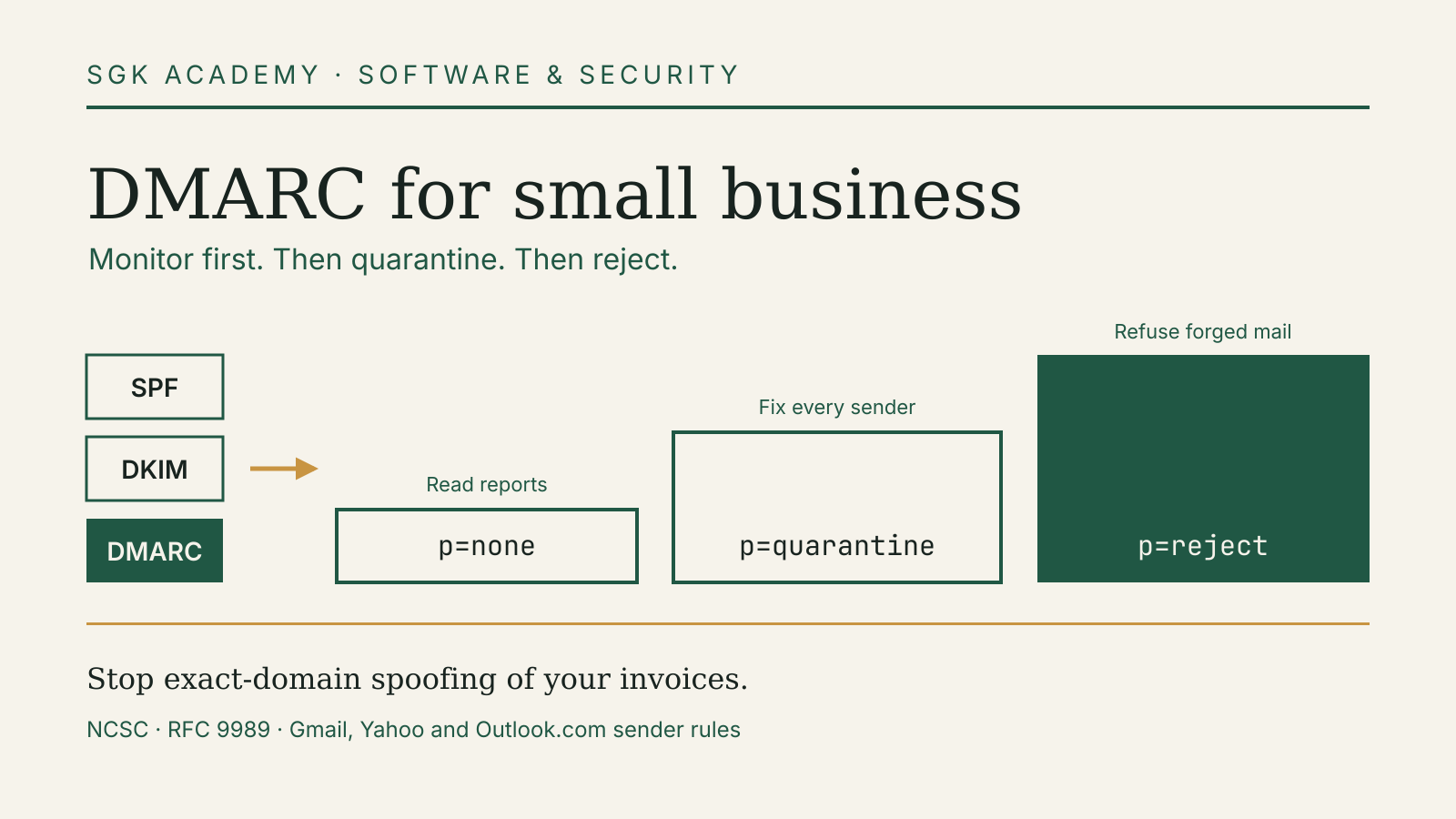
The NCSC’s email security and anti-spoofing guidance recommends moving from monitoring to enforcement in stages, so that legitimate mail is not blocked while you find every service that sends for you.
Stage 1: monitor with p=none
Publish a record such as v=DMARC1; p=none; rua=mailto:dmarc-reports@example.com at _dmarc.example.com. The rua tag names where aggregate reports go. The NCSC suggests up to two addresses, and RFC 9989 says that without a rua tag, receivers must not send aggregate reports at all, so a record without one gives you no visibility. The NCSC says reports start to arrive within 24 hours and recommends monitoring for at least 2 weeks.
Reports are XML files. The NCSC recommends choosing a DMARC reporting tool to process them; many email security vendors offer one. Use the reports to list every service sending as your domain, then fix SPF or DKIM for the legitimate ones. Typical finds are a payroll system sending payslips, an accounting package sending invoices, or a website form sending notifications.
Stage 2: quarantine
When the reports show your legitimate mail passing, change the policy to p=quarantine, which asks receivers to treat failing mail as suspicious, usually by sending it to spam. The NCSC notes that many organisations reach this point after about 6 to 8 weeks, and recommends monitoring for at least 4 weeks once quarantine applies to all mail. It also advises warning marketing and communications teams before the change.
The NCSC guidance, published in 2019, describes ramping up with the pct tag, which applied a policy to a percentage of messages. RFC 9989 removed pct and added a test flag instead: t=y asks receivers to apply the policy one level below the one stated, so p=quarantine; t=y is treated as none and p=reject; t=y as quarantine. New records should follow the current standard.
Stage 3: reject
The final stage is p=reject, which asks receivers to refuse failing mail outright. The NCSC says many organisations move to reject about 3 months after quarantine, gives v=DMARC1; p=reject; sp=reject; fo=1; rua=mailto:dmarc-reports@example.com as an example, and recommends at least 2 weeks of monitoring afterwards. The sp tag sets the policy for subdomains. RFC 9989 also adds an np tag for subdomains that do not exist, which covers made-up names such as billing.example.com that have no DNS records of their own.
| Stage | Policy | Suggested minimum monitoring (NCSC) | What receivers do with failing mail |
|---|---|---|---|
| 1 | p=none | 2 weeks | Deliver as normal and report |
| 2 | p=quarantine | 4 weeks at full coverage | Treat as suspicious, usually spam folder |
| 3 | p=reject | 2 weeks | Refuse the message |
Domains that send no mail
A domain without SPF or DMARC records gives receivers nothing to check forged mail against. The NCSC’s post on protecting parked domains gives four records for a domain that never sends email:
- SPF:
v=spf1 -all, which says no server may send for it; - DMARC:
v=DMARC1; p=reject, with aruaaddress if you want reports; - a null MX record,
0 ., which says the domain accepts no mail; - a wildcard DKIM record at
*._domainkeywith the valuev=DKIM1; p=, which revokes any key.
If you bought spare domains to protect your brand, or kept an old company name after a rebrand, these take a few minutes to add at your registrar.
Common problems when moving to reject
- A forgotten sender. An old booking tool or a printer that emails scans can still send as your domain. Find these in the reports before you enforce.
- Mail that passes through intermediaries. The NCSC notes that reports include legitimate mail forwarded by systems such as mailing lists, and RFC 9989 warns that mail forwarded through mailing lists is frequently rejected under
p=reject. Check these flows in your reports before you enforce. - Staff who have left. Service accounts and mailboxes of former staff can keep sending. Our employee offboarding access checklist covers closing them.
- Suppliers who send as you. When you sign up for software that emails customers on your behalf, ask how it authenticates. Our guide to software supplier checks has a fuller list of questions.
A one-hour starting checklist
- List every domain you own, including parked ones.
- Check each sending domain’s SPF record against the 450-byte and 10-lookup limits.
- Turn on DKIM signing with your own domain in each service that sends mail, using 2048-bit keys where offered.
- Publish
p=nonewith aruaaddress at_dmarcfor each sending domain. - Add the four parked-domain records to every domain that sends nothing.
- Put a reminder in the calendar for two weeks’ time to read the first reports.
Account takeover is another way invoices are faked. Pair this work with the controls in our financial account security guide.
Sources and document dates
Checked 11 October 2026. Standards: IETF, RFC 9989, Domain-based Message Authentication, Reporting, and Conformance (DMARC), May 2026, which obsoletes RFC 7489, March 2015. Government guidance: NCSC, email security and anti-spoofing, version 2.0, 7 October 2019, including implement a DMARC policy of none, create and iterate an SPF record, create and manage a DKIM record, mark spoof emails as spam and reject spoof emails; NCSC, protecting parked domains, 26 June 2019, reviewed 5 March 2025. Provider rules: Google, email sender guidelines, in force from February 2024; Yahoo, sender best practices; Microsoft, Outlook’s new requirements for high-volume senders, 2 April 2025, updated 29 April 2025.