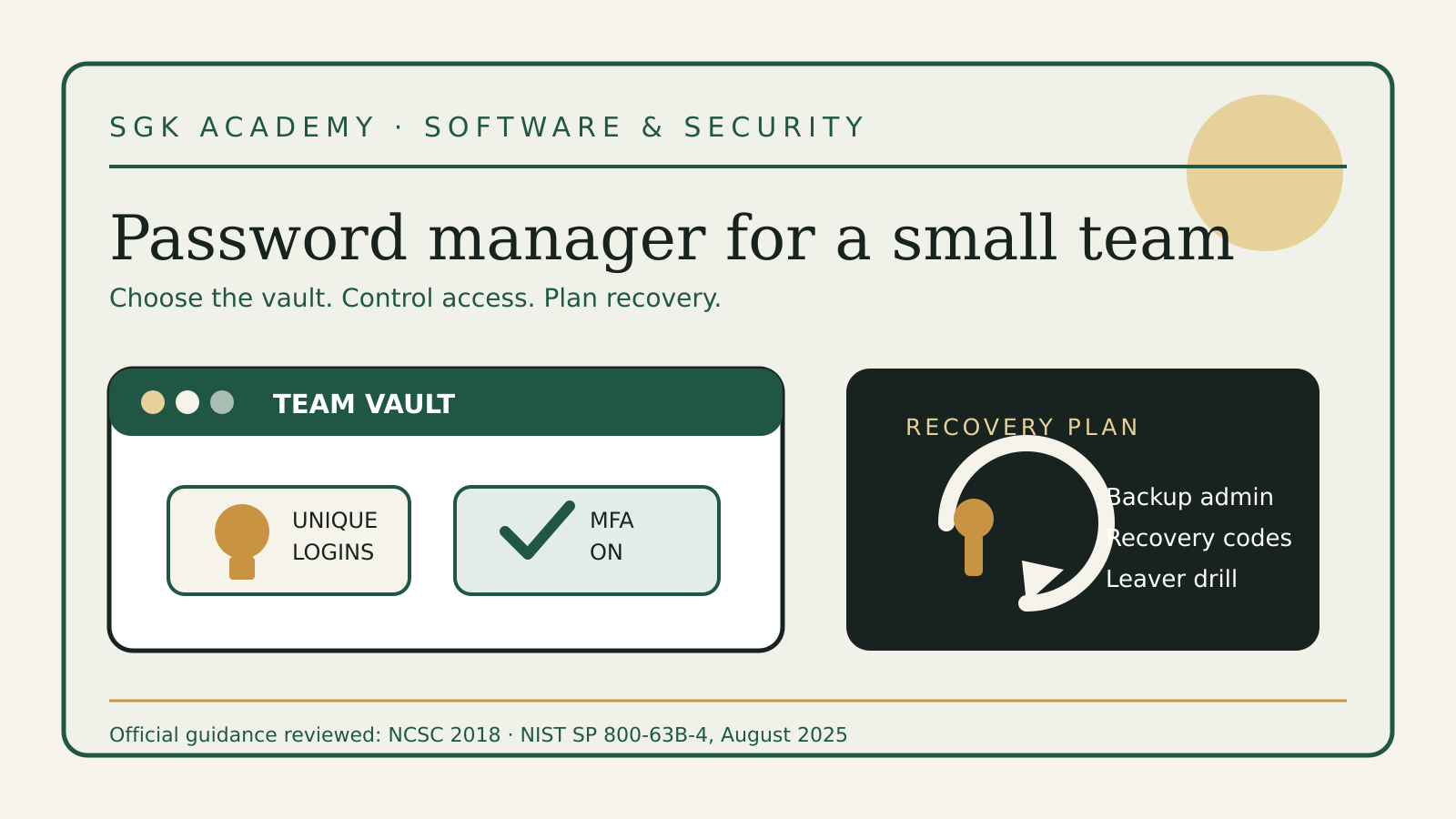
A password manager for small business is not just a place where employees save logins. Once the team depends on it, the vault becomes part of the company’s access system. It needs an owner, rules for shared credentials, a recovery plan and a clean process for people joining and leaving.
The useful question is therefore not “Which app has the longest feature list?” It is “Can this team use one system consistently, recover it without a single point of failure and remove access when someone leaves?”
Source and version check: reviewed 18 October 2026 against the UK National Cyber Security Centre password manager buyers guide (version 1.0, reviewed 19 November 2018) and NIST SP 800-63B-4, published August 2025. Product features and recovery methods change, so verify the chosen provider’s current documentation before deployment.
What a business password manager should solve
A small company usually has three password problems at once.
First, people create accounts faster than anyone inventories them. A marketing tool, bank portal, cloud console or supplier dashboard may sit outside single sign-on. Second, a few services still force teams to share a login. Third, access often survives longer than the work relationship that justified it.
A manager can reduce those risks by generating unique passwords, matching credentials to the right website, controlling shared access and showing administrators where company credentials live. The NCSC says the benefits generally outweigh the risks, but it also warns that a vault is a valuable target and may contain every stored password if compromised.
That trade-off is why selection and deployment matter. Buying licences without changing the working routine leaves the old spreadsheets, browser saves and message threads in place.
Decide whether you need one
Start with an account map, not a vendor comparison.
| Account type | Preferred access method | Where a password manager helps |
|---|---|---|
| Core office suite | Single sign-on, passkey or phishing-resistant MFA | Store break-glass details only if the design requires them |
| Named user SaaS account | Individual login with MFA | Generate and save the unique password |
| Shared supplier portal | Delegated access if available | Controlled shared item when delegation is impossible |
| Local device or router | Unique administrator credentials | Store restricted administrative access |
| Personal account | Separate personal vault | Keep it outside the company vault |
If most work already runs through a well-managed identity provider with single sign-on, the team may need fewer stored passwords than expected. The NCSC explicitly notes that an effective single sign-on setup can reduce the need for a separate manager.
Do not use that as a reason to ignore the remaining accounts. The long tail often includes finance, domain, advertising and recovery accounts—the ones where an abandoned or reused password can do the most damage.
Choose the operating model before the product
There are two broad models.
An on-device manager keeps its data on one device. That narrows remote exposure, but makes cross-device use and business continuity harder. A cloud-sync manager makes credentials available on approved devices and often adds team administration, sharing and logs. It also creates a remote account that must be strongly protected.
For most small teams working across laptops and phones, cloud sync is the practical choice. The decision should still be written down, because it sets the requirements for authentication, recovery, device approval and exports.
Define these points before a trial:
- which company accounts must be stored;
- whether personal credentials are allowed and, if so, how personal and work vaults are separated;
- who can create shared collections;
- who approves access to finance, domain and infrastructure credentials;
- which devices may connect;
- whether contractors receive named seats;
- who can start recovery;
- what happens to vault data when the subscription ends.
This also prevents a familiar mistake: using a family plan or a collection of personal accounts for business work. A company needs ownership of the workspace and a way to remove a member without depending on that person’s cooperation.
The selection checklist
A useful comparison has fewer marketing claims and more operational questions.
Encryption and provider access
The NCSC advises that credentials at rest should be encrypted and that the decryption key should not be available to the cloud provider. Ask what is encrypted—not only password fields, but also account names, URLs and notes—and how keys are derived and held.
“Zero knowledge” is a claim to examine, not a substitute for documentation. Read the security architecture, independent audit scope and vulnerability disclosure policy. Check how quickly clients are updated when a flaw is found and whether updates fit your device-management process.
Authentication for the vault
Require multi-factor authentication for every business vault. Prefer phishing-resistant options such as security keys or passkeys where the provider supports them, especially for owners and administrators. Do not store the only factor needed to open the vault inside that same vault.
The manager’s primary password should be unique and memorable enough that the user can enter it without copying it from another location. NIST’s current guidance rejects arbitrary periodic password changes; change the primary password when there is evidence of compromise, not because a calendar reminder fired.
Sharing without revealing
A shared item should be available only to the people and roles that need it. Look for named access, group controls, an access history and the ability to revoke a person without rotating every unrelated credential.
Whenever a service supports separate user accounts or delegated access, use that instead of sharing a password. Shared credentials remove individual accountability and make it harder to know who acted. The manager is a safer bridge for unavoidable shared logins, not a reason to avoid better account design.
Recovery
Recovery is a security control and an attack route.
The NCSC buyers guide asks organisations to understand who can recover a vault and whether recovery exposes stored credentials. A design where no provider or administrator can decrypt a user’s vault protects confidentiality, but it may mean permanent loss when the key is lost. A design with administrative recovery improves continuity, but gives that recovery process more power.
Choose deliberately. At minimum, record:
- two trained workspace administrators;
- where emergency or recovery codes are kept;
- which actions require approval by another person;
- how a lost phone or security key is replaced;
- how the company proves ownership to the provider;
- how recovery events are logged and reviewed.
NIST SP 800-63B-4 treats saved recovery codes as credentials that should be kept offline and stored securely. The exact NIST requirements apply to digital identity services in its scope, but the principle is useful here: do not leave the only recovery code in the vault it is meant to recover.
Export and exit
A full export is useful during migration and dangerous at every other time. The NCSC notes that many exports are plain text once created. Check whether administrators can disable or audit exports, and write a handling procedure before anyone uses the feature.
A sensible procedure uses an approved device, encrypts the transfer, imports promptly, verifies a sample and destroys the unencrypted file. Test that the export contains the fields you actually need. A nominal export that omits passkeys, attachments or shared-item metadata may not give the company a workable exit.
Platform fit and autofill
List the operating systems, browsers and mobile devices the team really uses. Key functions should behave consistently across them. If the manager works well on the founder’s laptop but poorly on the bookkeeper’s phone, workarounds will return.
Autofill is more than convenience. The NCSC notes that a manager can be better than a person at matching a credential to the correct site. NIST requires covered verifiers to allow password managers and autofill, and recommends allowing paste when autofill is unavailable. Train staff not to force a credential into a page when the manager refuses to offer it; the mismatched domain may be the warning.
Run a small pilot
Use a representative group of three to five people for one or two weeks. Include an administrator, a frequent SaaS user and someone who works on a different device or browser.
The pilot should answer practical questions:
- Can a new user enrol without sending secrets through chat?
- Does autofill choose the right account on real services?
- Can a person request access to a shared item?
- Can an administrator revoke that access immediately?
- Does a new approved device require a clear verification step?
- Can the team recover an account using the documented process?
- Can the company export its data and read the result?
- Are security alerts and audit records understandable?
Do not populate the pilot with the company’s most sensitive production credentials. Use low-risk accounts or controlled test records until recovery, sharing and offboarding work as expected.
Deploy in four passes
1. Secure the workspace
Create the business workspace under a company-controlled account. Add at least two administrators, require MFA and protect administrator accounts with the strongest available method. Store recovery material in a separate, controlled location.
Configure policies before inviting everyone: device approval, export permissions, sharing, session timeout and personal-vault separation.
2. Move high-risk accounts first
Prioritise email, identity provider, domain registrar, banking administration, payment platforms, accounting, cloud infrastructure and backup systems. These accounts can unlock or reset many others.
Give each person an individual login wherever possible. For unavoidable shared credentials, create narrowly named groups such as “Finance payments—view” rather than one catch-all company collection.
Our financial account security guide covers the separate question of security keys, recovery channels and payment approval. The manager should support those controls, not replace them.
3. Replace reuse, not every password on sight
Use the manager’s report to find reused or known-compromised passwords. Change those first, along with default credentials and access exposed in old documents or messages.
Do not force arbitrary monthly rotations. NIST says services should not require periodic changes unless there is a user request or evidence of compromise. Frequent forced changes can encourage predictable variations. Unique credentials, MFA, a blocklist at the service and prompt replacement after compromise are more useful.
4. Close the old routes
Once a credential is in the approved system, remove it from spreadsheets, shared documents, ticket comments and chat messages. Disable unmanaged browser saving if your device policy can enforce that choice.
Tell staff where to report a missing account or a failed autofill. A policy that only says “never share passwords” will be ignored when a supplier portal has one login and an invoice is due.
Joiners, movers and leavers
The vault should follow the same employment lifecycle as email and files.
For a joiner, create a named seat, enrol MFA, assign role-based collections and confirm the recovery method. Do not copy another person’s vault.
For a mover, review both new and old groups. Adding finance access without removing sales administration quietly accumulates privilege.
For a leaver:
- suspend the vault account at the agreed time;
- transfer ownership of business items;
- revoke active sessions and approved devices;
- remove the person from shared collections;
- rotate shared passwords the person could view;
- replace recovery contacts or administrator roles;
- retain logs according to the company’s policy.
Use the employee offboarding access checklist to connect this work to email, devices, cloud files and suppliers. A password-manager audit is only one part of a complete exit.
The recovery drill
Run a short drill before the system becomes boring—and then repeat it periodically.
Assume the primary administrator has lost both phone and laptop. Can a second administrator identify the right procedure, retrieve the necessary recovery material and restore access without opening every employee’s personal credentials?
Record the time, decisions and gaps. Fix unclear ownership, expired contact details and recovery material stored in the wrong place. The goal is not to bypass the product’s security; it is to prove that the chosen recovery design works as documented.
Also test the provider-exit scenario. Export a small controlled set, import it into a neutral test environment and confirm that names, URLs, notes and group ownership survive. Delete the test data and export securely afterwards.
A policy that people can follow
Keep the policy short enough to use:
- Save every company password in the approved business vault.
- Use generated, unique passwords and MFA where available.
- Do not send credentials through email or chat.
- Use named accounts instead of shared logins whenever the service permits.
- Put unavoidable shared logins in the smallest appropriate group.
- Report unexpected autofill, breach alerts and unknown devices.
- Request access through the named owner.
- Never export a vault without approval and an agreed deletion step.
- Review administrators, recovery contacts and leavers every quarter.
Pair the policy with a 20-minute demonstration. Show how to save, generate, share, request and report—not only how to sign in.
Decision worksheet
Before signing a contract, write one answer beside each line:
| Question | Your answer |
|---|---|
| Who owns the business workspace? | |
| Which accounts must be stored? | |
| Which services should use single sign-on or passkeys instead? | |
| Which two people administer the workspace? | |
| Is MFA mandatory for every member? | |
| Who can recover a vault, and what can they see? | |
| Where are recovery codes kept? | |
| Can exports be disabled or audited? | |
| Which platforms and browsers were tested? | |
| How are shared credentials approved and rotated? | |
| What happens on the employee’s last day? | |
| How will the company leave the provider? |
A product that cannot support clear answers is not ready for company-wide use, even if it scores well in a feature table.
Official sources
- NCSC password manager buyers guide
- NCSC guidance for small organisations: secure your email and important accounts
- NIST SP 800-63B-4: Authentication and Authenticator Management
- CISA: Four Cybersecurity Essentials for Businesses
CISA’s page blocked direct retrieval in this run; the substantive deployment rules above rely on the fully read NCSC and NIST sources.