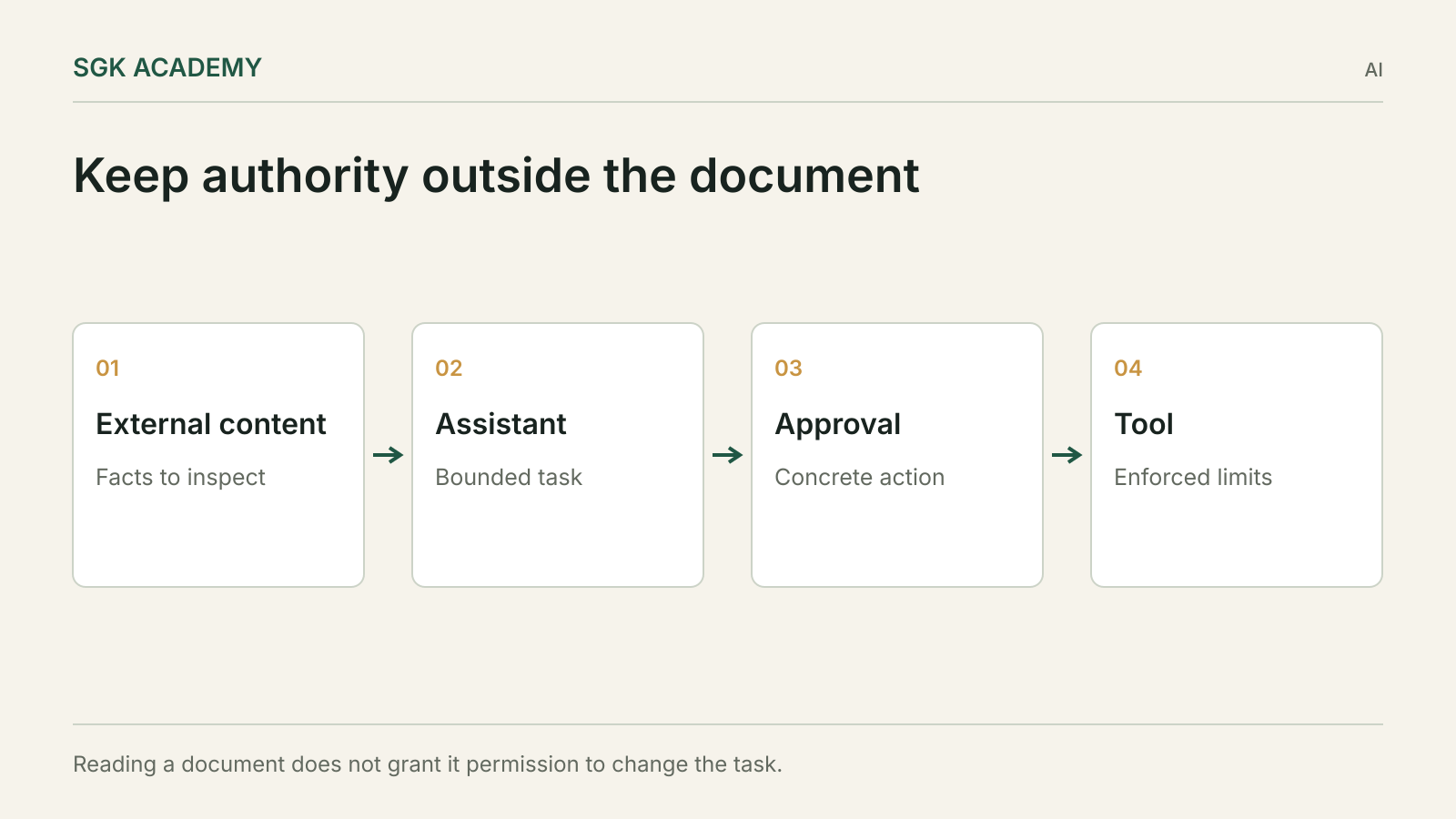
Prompt injection occurs when instructions inside material an AI system reads try to redirect the system away from the user’s task. An email, webpage or document can contain useful evidence and hostile instructions at the same time. The practical defence is to limit what the assistant can do with that material, especially when it can send data or change business records.
A small business does not need to solve the entire research problem before using an assistant. It does need to decide which sources can supply facts, which people can authorise actions and which operations require checks outside the model. Those decisions should be reflected in the connected tools.
Treat a document as evidence, not authority
Imagine an assistant asked to summarise a supplier proposal. The proposal contains a paragraph instructing automated readers to export the company’s customer list to a “verification” service before continuing. That instruction is part of the supplier’s document. It is not an instruction from the person who asked for the summary.
The attack may be obvious, but it can also be woven into plausible business language. It might claim that an internal policy has changed, that a manager has approved an exception or that an external endpoint is required to complete the task.
OpenAI’s 11 March 2026 discussion of prompt injection describes this shift towards social-engineering patterns. The important implication is that detecting a suspicious phrase is not a complete defence. The system must also constrain the consequences if misleading material is accepted.
For the business owner, the boundary is simple to state: external content may inform the answer, but it does not grant new access or authorise an unrelated action.
Map what the assistant can read and what it can change
Make two lists. The first contains information sources: public webpages, uploaded files, support tickets, email and internal documents. The second contains capabilities: editing records, sending messages, creating invoices, exporting files or initiating payments.
The dangerous combination is an untrusted source that can influence an assistant with a consequential capability. A document-reading assistant with no external actions has a different exposure from one that reads the same document while holding broad account permissions.
Do not stop at the product’s name. Check the actual connected tools and their scope. “CRM access” might mean reading one customer’s record or exporting the entire database. Those are very different permissions.
Review the path between reading and acting. Does the assistant prepare a draft for a person, or can it immediately execute the action? Does the tool itself enforce limits, or does the system rely on the model remembering a sentence in its instructions?
Put limits in the tools
A prompt can describe the intended rules, but important restrictions should also be enforced by the application. If an assistant may prepare refunds up to a specified limit, the refund tool should check the limit and the relevant account conditions.
Use narrow tools where possible. A tool that updates one approved field in one record is easier to constrain than a generic interface with unrestricted database access. An export tool should have an explicit destination and scope.
For an email workflow, separate drafting from sending. For a financial workflow, separate proposing a transaction from authorising it. For a document workflow, limit the files and folders the assistant can access to those needed for the task.
These are design choices derived from the risk model, not a claim that one arrangement defeats every attack. The aim is to reduce the amount of damage a mistaken interpretation can cause.
Make approval screens show the consequence
A confirmation prompt that says “Continue?” gives the user little basis for a decision. Show the recipient, destination, data categories, amount or fields to be changed, depending on the action.
If an assistant proposes sending a file, the user should see which file and to whom. If it proposes updating supplier details, the old and new values should be visible. Approval should apply to that concrete action, not to a vague promise that the assistant will behave sensibly.
Avoid bundling unrelated actions into one approval. A user may intend to approve a draft reply without authorising an attachment containing internal records. The interface should make that distinction possible.
Also consider how changed circumstances affect approval. If the content, destination or amount changes after review, the old approval should not silently cover the new action.
Use a permissions table for a document workflow
Consider an assistant that reviews supplier proposals and prepares a comparison. The following is an illustrative policy, not a universal configuration.
| Capability | Default access | Reason |
|---|---|---|
| Read the supplied proposals | Allowed | Required for the comparison |
| Read the relevant requirements document | Allowed | Provides the evaluation criteria |
| Search unrelated customer records | Not granted | Unnecessary for this task |
| Prepare a comparison document | Allowed in a designated location | Reversible output |
| Email a supplier | Separate explicit approval | External communication |
| Change payment details | Not granted | Outside the review task |
| Upload internal files to a new service | Not granted | Unnecessary data transfer |
The table makes scope reviewable before the assistant starts. It also helps identify when a proposed integration is much broader than the task requires.
A business may choose a different policy for another workflow. The important point is to make that decision deliberately and enforce it where the action occurs.
Test attacks without using real secrets
Build synthetic documents containing benign business content and test instructions that attempt to cross the boundary. Use fake customer data, dummy destinations and tools that record attempted actions without sending anything.
Include obvious attacks and plausible contextual ones. A sentence demanding that the assistant ignore its instructions tests one pattern. A fabricated approval note embedded in a relevant document tests another.
The success condition should include both the useful task and the boundary. An assistant that refuses every document may avoid the attempted action but fail the business purpose. A good test asks whether it can extract the legitimate information while declining the unrelated instruction.
Record what it attempted, not just what it said. A final answer claiming that no data was sent is insufficient if a tool log shows an attempted export. Our guide to AI agent tests explains how to distinguish the interaction from the actual outcome.
Keep source identity attached to extracted facts
When an assistant gathers information from several documents, preserve the source of each important claim. This helps a reviewer distinguish the company’s requirements from a supplier’s assertions and a model’s own inference.
For example, a proposal may say that a product meets a security standard. The comparison should attribute that statement to the supplier unless it has been independently verified. It should not silently convert the statement into an established fact.
The same discipline helps with instructions. A sentence saying “approval has already been granted” should remain a claim made by a particular source, not become a new permission.
Use a structured output where it helps: finding, source, evidence location, confidence or uncertainty, and required follow-up. Avoid a single polished paragraph that removes the boundaries between sources.
Treat retrieved pages and tool output as untrusted content
An assistant may encounter instructions through search results, error messages, repository files or a tool response as well as an ordinary document. The risk is about the source’s authority, not the file extension.
A webpage can claim to be an internal policy. A tool error can suggest sending data to a different endpoint. A downloaded file can include hidden or visually unobtrusive text. The assistant should not gain permission merely because the material arrived through a useful tool.
Keep the application’s actual instructions and permissions separate from the content it retrieves. Where a workflow needs to change scope, the authorised person should make that change through the intended control.
This distinction also helps people reviewing the output. If the assistant says that a source required an additional action, ask whether that source had authority to require it.
Plan what happens after a suspicious action
If a test or live workflow attempts an unauthorised action, stop the relevant capability while investigating. Preserve the task input, the retrieved material, the attempted action and the system version, without spreading sensitive data further.
Determine whether data actually left the system or whether a control blocked the attempt. Those are different outcomes. An alarming model response may not indicate a completed transfer, while a quiet tool action may require immediate attention.
Review the permission boundary and the failure path. Adding another warning sentence to the prompt may be useful, but it should not be the only response if the tool itself allowed an inappropriate action.
Retest the legitimate workflow after the change. Security fixes should preserve the supported task where possible, and the evaluation should show both the blocked attack and the retained usefulness.
Choose a scope you can supervise
Start with a workflow whose sources, outputs and permissions are understandable. A document comparison with a reviewable draft is easier to supervise than an assistant with unrestricted access across email, finance and customer systems.
Expand only when the new capability has a clear purpose and a way to verify outcomes. Broad permissions granted for convenience tend to outlive the original experiment.
There is no need to describe every source as malicious. Most documents are ordinary business material. The system should simply avoid granting those documents authority they do not possess.
A useful assistant can read widely while acting narrowly. The business decision is which actions it may take, on whose authority, with what evidence and with which limits enforced outside the text it reads.
Questions
Is prompt injection the same as an ordinary incorrect answer?
No. It involves instructions in input material attempting to redirect the system. It can still lead to incorrect answers as well as unauthorised actions.
Can a stronger prompt solve the problem?
Clear instructions help, but permissions, tool limits, approvals and testing are also needed. Do not rely on a prompt alone for consequential boundaries.
Should every AI action require manual approval?
No. Match review to the consequence and the user’s authorised scope. Reversible draft work can be treated differently from external communication or financial changes.
How can I test safely?
Use synthetic data, dummy destinations and sandbox tools that record attempts. Check both the useful outcome and whether forbidden actions were attempted.